- Create database
myapp_production - Create user
myapp_user - Generate strong password
•••••••••••••••• - Apply grants
GRANT ALL ON DATABASE - Register in the pool
PgBouncer registered - Inject env variable
DATABASE_URL=postgres://…
a3f9c2e detected, pipeline startingVDS Panel in 2 minutes
Watch our narrated introduction video; download the product overview for the details.
How do you get a cloud-platform experience on your own server?
Instead of paying a monthly bill to a rented platform, you run the same experience on your own server: per-project isolation with K3s, git push deploys, automatic SSL, mail, DNS and backups in one panel. Licensing is per server, with unlimited sites and users.
Multiple Deploy Lanes
Six project types: Java (JAR), Node, PHP (including Laravel), Python, static sites and Docker images; delivered via Git push or file upload. Each type deploys to K3s with its own optimised flow; a preflight check runs before going live and a smoke test right after.
Automatic SSL
Let's Encrypt certificates are issued and renewed automatically; a smart backoff mechanism keeps you clear of rate limits. Local CA support is included.
DNS & Domain Management
Integrated DNS zone management, subdomain vhost generation and Cloudflare integration. Every project goes live on its own subdomain.
Mail Server
A full Postfix/Dovecot/Rspamd mail stack: DKIM/SPF/DMARC DNS records, spam filters, forwarders, catch-all and one-click webmail sign-in (SSO), all managed from the panel.
Databases & Backup
Per-project PostgreSQL/MySQL with PgBouncer (connection pooling keeps your DB calm under heavy traffic), multi-DB backups and one-click restore. Portable per-domain archives; optional AES-256 encryption, GFS retention (daily/weekly/monthly generations) and SFTP / S3 / Google Drive off-site targets.
DDoS Shield & Scanning
Under-attack mode, PoW challenges (browser verification that filters bots), fake-Googlebot detection and automatic IP bans via nftables (attacking IPs are blocked at the firewall instantly). On top: ModSecurity WAF, virus/CVE scanning and a 140+-test pentest suite.
Resellers & Multi-Tenant
Reseller accounts, tenant isolation, quota and limit enforcement. If you run a hosting business, keep your customers safely separated.
cPanel & WiseCP Import
Import your existing cPanel accounts and WiseCP installation; sites, mailboxes and databases migrate automatically.
Live Monitoring & Speed
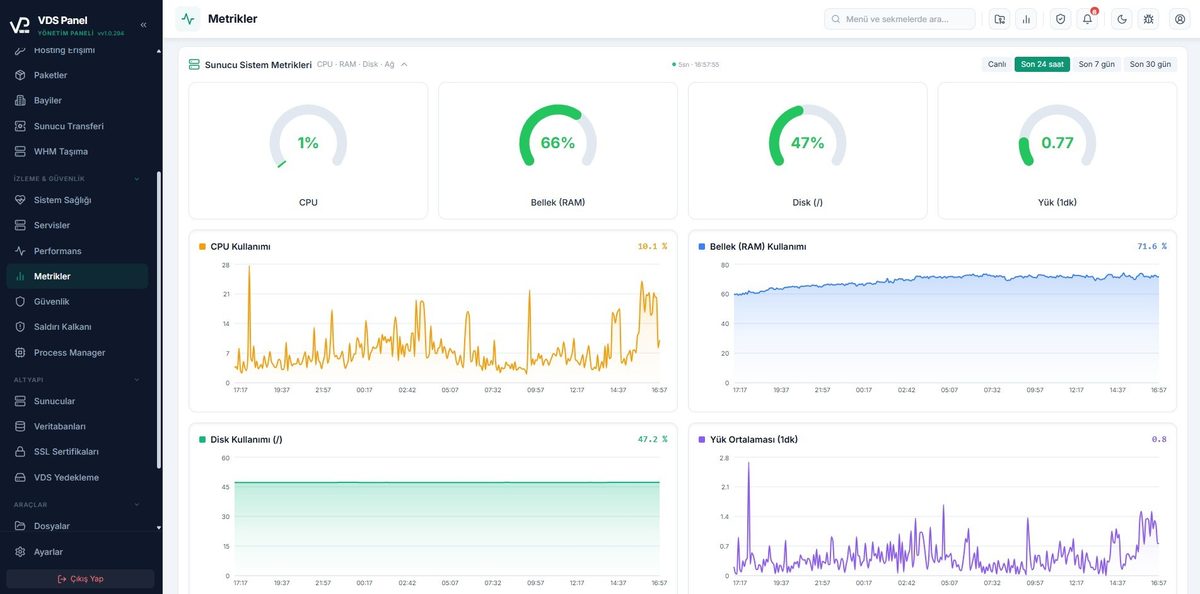
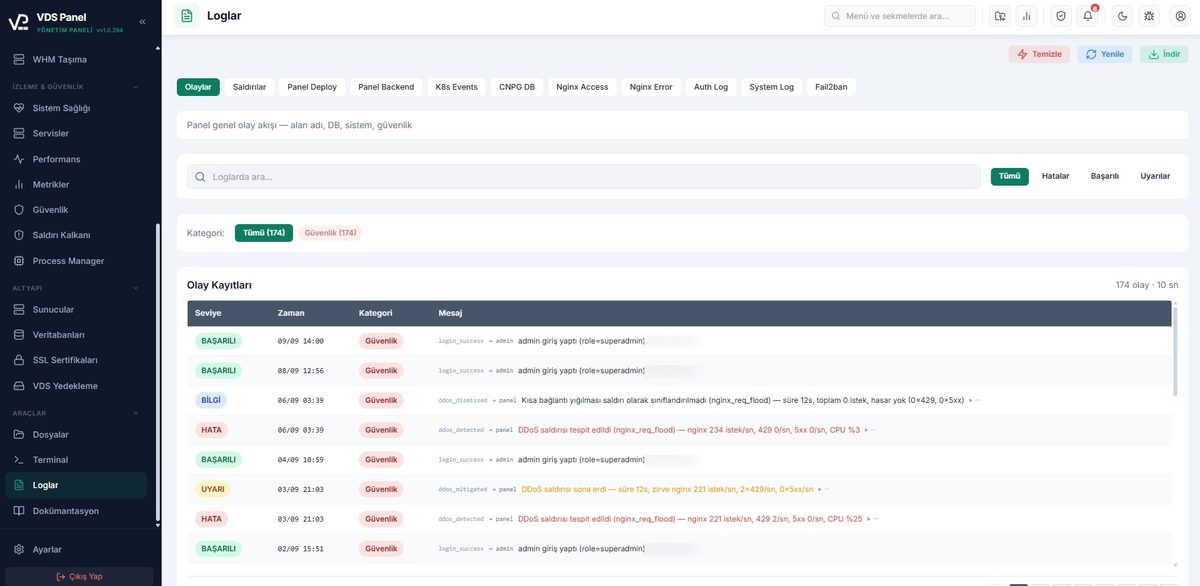
CPU, RAM, disk and per-site metrics in real time; the audit log tracks every action. vSpeedCache micro-caching, Brotli compression and image optimisation make your sites faster.
Does every project need its own VM?
A separate Windows VM for every subdomain means licences, maintenance and idle capacity. VDS Panel reduces that to a single Ubuntu server: each project runs in its own isolated container, resource limits apply per project, and a new environment takes minutes.
Today: one VM per project
- proje1.firma.com → Windows VM #1
- proje2.firma.com → Windows VM #2
- test.firma.com → Windows VM #3
- intranet.firma.com → Windows VM #4
VDS Panel: one server
- Every subdomain in its own isolated box (K3s)
- Java, Node, PHP, Python and Docker on the same server
- New project environments in minutes; no VM requests
- DNS, SSL and reverse proxy automated
Code, databases, mail and backups never leave your company server; no third-party data transfer for GDPR and internal audit requirements.
Where does VDS Panel run today?
The panel is used in production both inside corporate infrastructures and by hosting operations serving their own customers.


Which system services install in one click?
Pick the service you need in the panel; a few minutes later it is running on K3s. Connection details are generated for you and attach to your projects in one click, with no SSH required to install anything.
 PostgreSQLPrimary relational database
 MySQLMySQL Community Server
 MariaDBMariaDB SQL server
 MongoDBDocument-oriented NoSQL
 RedisIn-memory key-value store
 RabbitMQMessage broker (AMQP)
 MinIOS3-compatible object storagePgBouncerPostgreSQL connection poolpgAdmin 4PostgreSQL web admin UIMongo ExpressMongoDB web UIRedis CommanderRedis web UI
 Nexus RepositoryMaven/Docker artifact repository
 SonarQubeCode quality and security analysis
 PrometheusMetrics collection and alerting
 GrafanaMetrics and log dashboards
What is inside the server management panel?
The list below shows the real screens of the server management panel in today’s release; not a single line inflated for marketing.
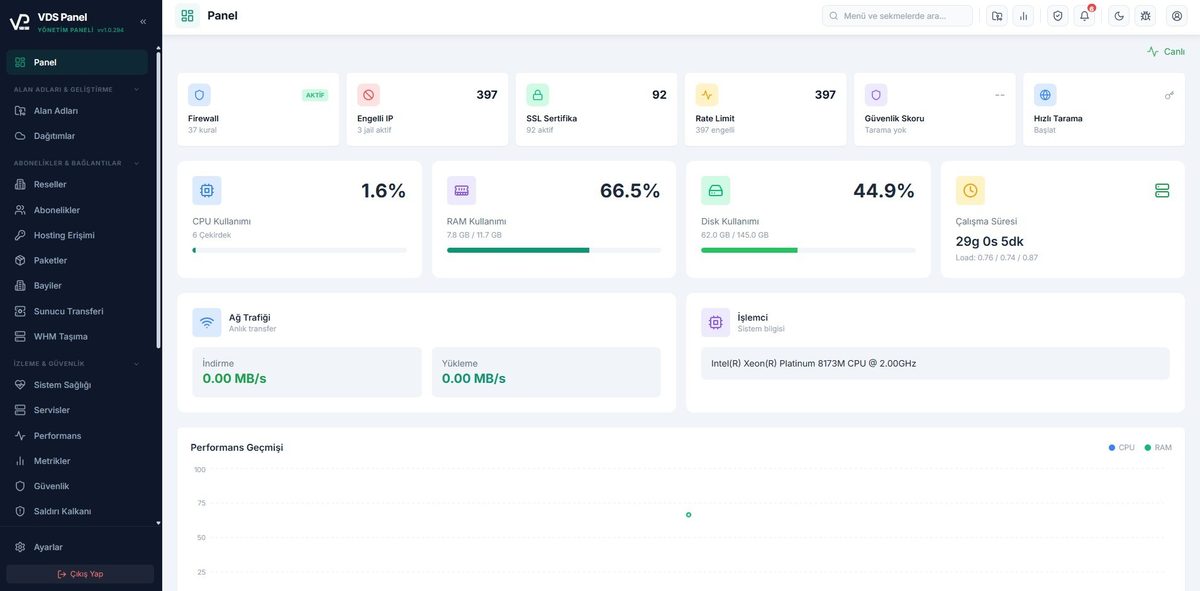
Dashboard
Server status, resource graphs and quick actions on one screen.Projects & Deploy
Six project types, delivered via Git push or file upload; GitHub OAuth and webhook support.Databases
PostgreSQL/MySQL creation, user management and a web DB console.Domains & DNS
Integrated BIND DNS, zone editor, DNSSEC, Dynamic DNS, ns1/ns2 nameservers and Cloudflare integration.SSL Certificates
Let's Encrypt automation, smart backoff, local CA; apex + www covered by a single certificate (SAN).Mail Server
Accounts, DKIM/SPF/DMARC, forwarders, quotas and webmail SSO.File Manager
Web-based file explorer, editor, archives and FTP accounts.Web Terminal
Secure SSH-like terminal access from the browser.Metrics & Logs
Live CPU/RAM/disk graphs, application and system logs.Security & Shield
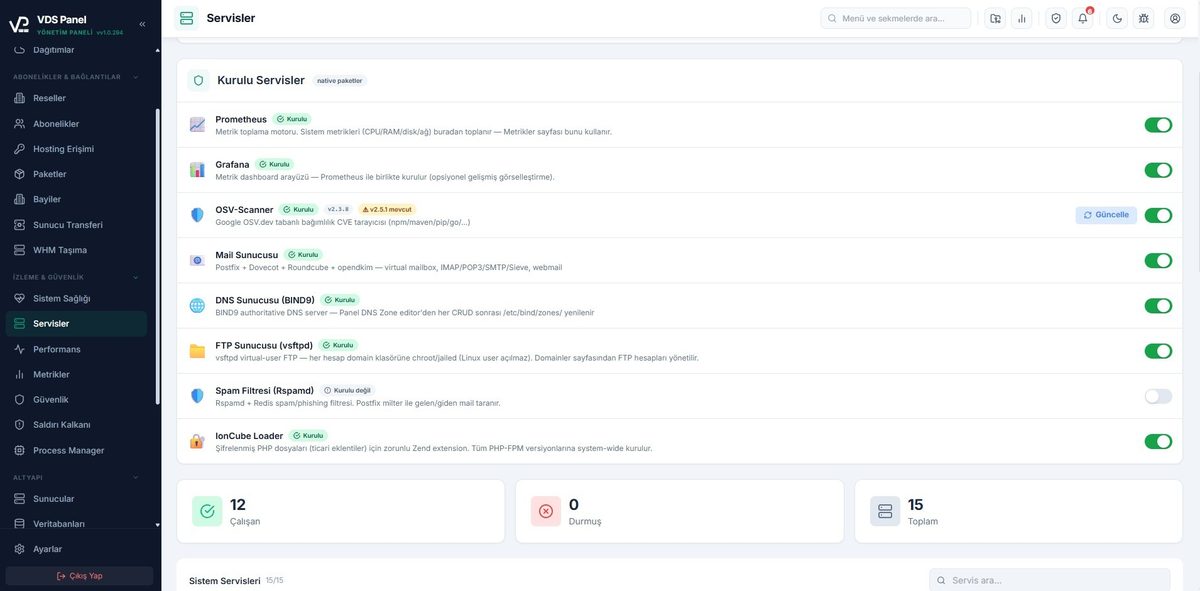
DDoS protection, ModSecurity WAF, virus/CVE scanning, a 140+-test pentest, attack history and live attack alerts.System Services
A catalogue of pgAdmin, Nexus, SonarQube, Redis, RabbitMQ, MinIO and MongoDB.Backup & Restore
Portable per-domain archives, scheduled/bulk backups, GFS retention, SFTP/S3/Drive off-site and one-click restore.cPanel / WHM / WiseCP Migration
Import your existing accounts: sites, mail and DBs migrate automatically.Tenants & Resellers
Multi-tenant isolation, reseller accounts, plan and quota management.System Health
Service watchdogs and nginx vhost self-heal; even if a service freezes silently, the panel notices and repairs it.Code Quality & Benchmark
SonarQube integration and server performance tests.QoS & Resource Limits
Per-site CPU/RAM/traffic limits (one site can’t slow the whole server), automatic suspension and quota tracking.FTP & Access Accounts
FTP users, quota management and directory-scoped access.Cron Jobs
Per-domain scheduled tasks and run history.WordPress & App Catalogue
One-click WordPress installs, speed/cache tools and a 50+ ready-made app catalogue (vpApps).PHP Version Management
Per-site PHP 7.4–8.4 selection, custom php.ini, FPM isolation and ionCube support.Process Manager
View running processes, resource usage and intervene.Server-to-Server Migration
Move sites and accounts to another VDS Panel server.Hosting Plans
Define plans, assign quotas/limits and attach packages to tenants.Live in 3 steps
One file, one command: the installer sets up K3s, PostgreSQL, nginx and the panel itself; the panel opens on your own domain, ready to deploy.
Get the installer
Copy the single ~17 MB .run file we email with your licence to your server. No dependencies to install.
Run it
sudo bash vdspanel.run installs K3s, PostgreSQL, nginx and the panel automatically; a unique admin password is generated. The panel opens under your own domain (vdspanel.your-domain.com).
Deploy
Sign in, connect your repo or upload your files. SSL, subdomain and reverse proxy are configured for you.
What does VDS Panel do today?
Not a promise, the current state. The capabilities below exist in the release running in production today, and we are equally clear about what is out of scope.
Working today
- Full-stack install from a single installer (K3s + DB + nginx + SSL)
- Java / Node / PHP / Python / Static / Docker deploys
- Mail, DNS, FTP, backups and security scanning in one panel
- DDoS Shield + ModSecurity WAF + a 140+-test pentest suite
- Off-site backups: SFTP, S3/MinIO and Google Drive targets
- One-click WordPress and a 50+ ready-made app catalogue
- Data migration from cPanel & WiseCP
- Multi-tenant + reseller infrastructure
- Active development: regular updates and fixes across 290+ published releases (v1.0.290+)
Where does VDS Panel differ from the alternatives?
Competitors do some things well and we do not hide it. Classic panels (cPanel, Plesk) are mature at hosting; rented platforms like Vercel and Netlify are good at deploys. Where we differ is combining both in one panel, on your own server.
| Capability | VDS Panel | Classic hosting panel | Commercial server panel | Open-source container panel |
|---|---|---|---|---|
| Full-stack install from one file | ✓ | - | - | ~ |
| Git push-to-deploy (PaaS flow) | ✓ | - | ~ | ✓ |
| Kubernetes isolation + hosting/mail/DNS under one roof | ✓ | - | - | ~ |
| Docker image deploys | ✓ | - | ~ | ✓ |
| Mail server (DKIM/SPF/DMARC) | ✓ | ✓ | ✓ | ~ |
| DNS zone management | ✓ | ✓ | ✓ | ~ |
| Automatic SSL (Let's Encrypt) | ✓ | ✓ | ✓ | ✓ |
| Integrated DDoS protection + security scanning | ✓ | ~ | ~ | ~ |
| Resellers / multi-tenant | ✓ | ✓ | ✓ | - |
| Import from other panels | ✓ | ~ | ✓ | - |
| Per-project resource limits (QoS) with automatic throttling | ✓ | - | - | - |
| Live metric dashboards and per-site resource monitoring | ✓ | ~ | ~ | ~ |
| Full traceability with audit logs | ✓ | ~ | ~ | - |
| Mandatory per-account monthly licensing | None; one licence per server | Yes | Yes | No |
The comparison is based on the generally published, typical feature sets of the relevant product categories; it may vary by version and add-ons. Category names are used to avoid targeting any specific brand. What sets us apart from open-source container panels: hosting, mail, DNS, backup and security come under one roof with single-vendor support and guaranteed regular updates.
Yes, it is a paid product: you buy one licence per server and pay nothing extra for the accounts/sites you create. For current pricing contact us at info@vdspanel.com . Since the panel runs on your own hardware there is no hosting fee either.
You need a Linux-based VDS or bare-metal server. Installation is a single .run file; K3s, PostgreSQL, nginx and the panel install automatically. Windows servers are not supported.
Java (JAR), Node.js, PHP (including Laravel), Python, static sites and Docker images are supported. You can also connect a Git repo for push-to-deploy; WordPress installs in one click.
Yes. With the cPanel/WHM and WiseCP import tools, sites, mail accounts and databases can be moved into the panel.
Entirely on your server. VDS Panel is self-hosted; we host none of your data. There is no third-party data transfer for GDPR or internal audit requirements. Backups also go to targets you choose.
No - we currently focus on single-node K3s, and we say so openly. Multi-node cluster management is being evaluated on our roadmap.
Licensing is per server. The term model, update and support scope, and licence transfer terms when changing servers are all put in writing with your quote. The panel is actively developed (290+ published releases); updates arrive through the in-panel "Update" flow. For details write to info@vdspanel.com.
Partly. Classic hosting panels (cPanel, Plesk, DirectAdmin, CyberPanel) are mature at hosting and mail management, while modern PaaS tools (Coolify, Dokku and similar) are strong at container deploys. VDS Panel merges both under one roof: K3s-isolated deploys alongside hosting, mail, DNS and backups in the same panel. So it is not purely a cPanel alternative nor purely a Coolify alternative - it is a server management panel that covers both jobs. You can migrate existing cPanel/WHM and WiseCP setups with the built-in import tools. If you are looking for a self-hosted alternative to rented PaaS platforms (Vercel, Netlify, Railway), the same panel covers the deploy side too - the difference is that your application runs on your own server with no usage-based billing.
Take a closer look
All taken from a real installation; click to enlarge.
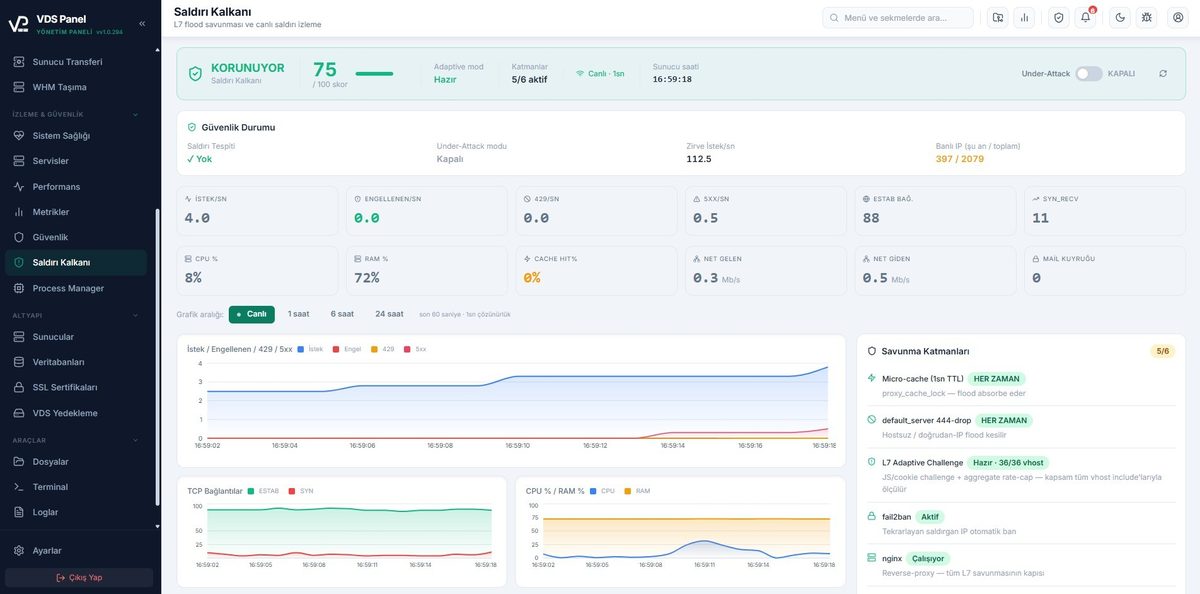
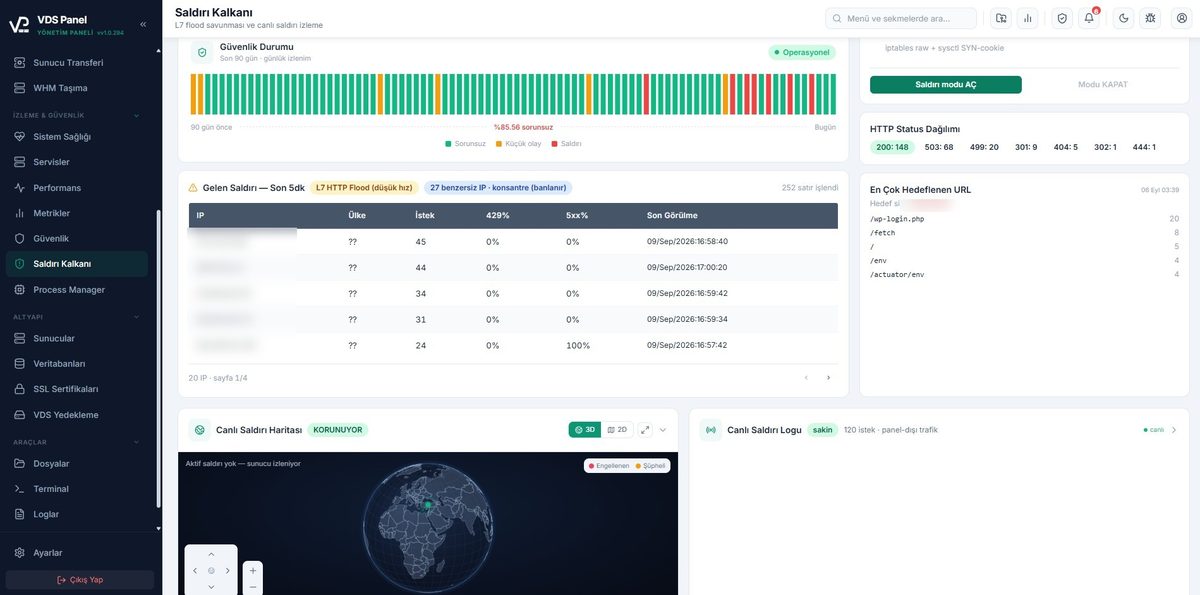
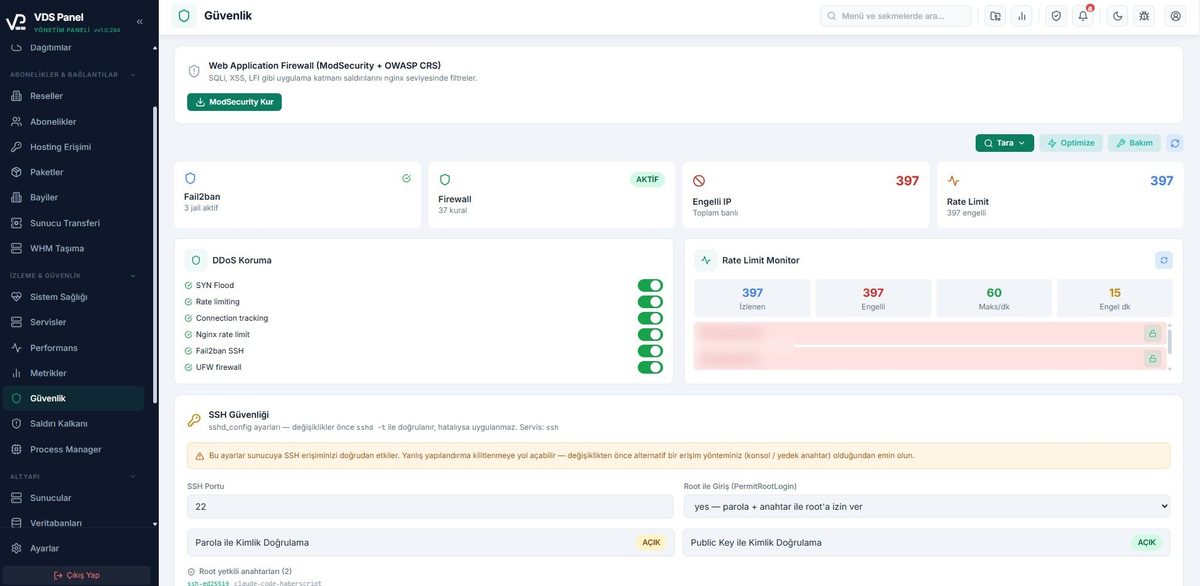
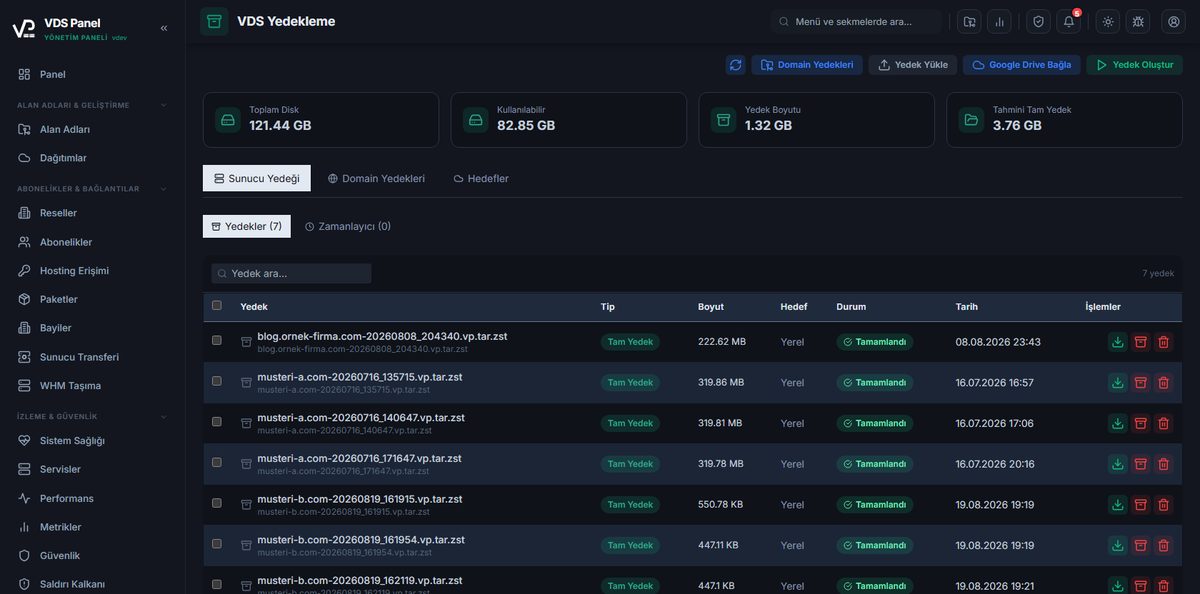
Turn your server into a platform.
The licence model is simple: one licence per server, unlimited accounts and sites, no monthly per-account fees. Request a demo with the form below; we reply within one business day.
Request a live demo
Let’s look at the panel running on a real server together and answer your questions before you install anything.
- Reply within one business day
- A one-on-one demo session tailored to you
- A free roadmap for installation and migration
- One licence per server; unlimited sites